
Digital library
Bodleian Digital Library Systems and Services (BDLSS) provide digital services across the Bodleian Libraries, serving the needs of students, academics and researchers in all faculties of the University of Oxford, as well as the wider public.
Physically based in Osney Mead in west Oxford, BDLSS staff – including software engineers, project managers, resource discovery, digital preservation, metadata and digitisation specialists – work in partnership with colleagues throughout the Bodleian Libraries to meet the needs of our readers, and to evolve and develop projects and services which keep pace with teaching and learning needs in the twenty-first century.
Our services
BDLSS offer a range of services supporting the teaching, research and learning goals of the Bodleian Libraries and of the wider University of Oxford. These include:
Infrastructure services
Vital systems support for all Bodleian digital services, through the provisioning and maintenance of servers and other technical systems, ensuring necessary performance and security.
Library management and scholarship support services
Maintenance and development of core systems for the smooth running of the Libraries, ensuring that services adequately support the academic life of the University.
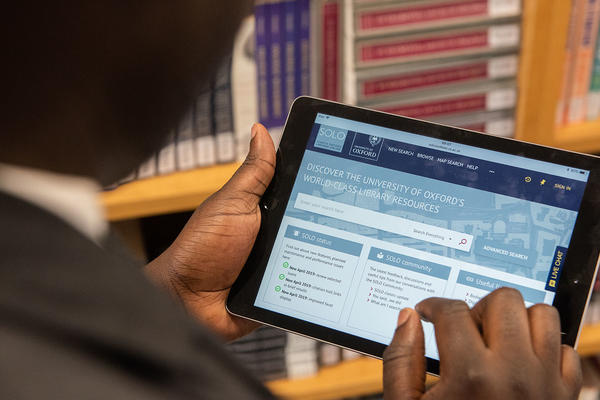
Supported systems include SOLO, the principal library catalogue for print collections, underpinned by Aleph, the integrated library management system that enables core library functions such as acquisitions, cataloguing and circulation of print collections, and ORA, the Oxford University Research Archive, the core system for the open access publication of University of Oxford research outputs.
Digital collections discovery services
Maintenance and development of systems, services and resources focused on enabling online access to the Bodleian Libraries’ vast collections of manuscripts, archives, rare books, maps, ephemera and other unique materials.
Supported systems include the Libraries’ flagship platform for delivering digital image collections Digital Bodleian, the catalogue for post-1500 collections Bodleian Archives and Manuscripts and a number of manuscript catalogues, including Medieval Manuscripts in Oxford Libraries and the Union catalogue for manuscripts from the Islamicate world, Fihrist.
Project management and development services
The management of a dynamic portfolio of funded initiatives to drive forward the Bodleian Libraries’ strategic goals of enabling digital change for the benefit of students, researchers and staff of the University of Oxford and of forging collaborative partnerships within the University and with external institutions.
Contact us
Bodleian Digital Library Systems and Services (BDLSS)
Osney One Building
Osney Mead
Oxford
OX2 0EW

